Glow Up Your Gaming Room: Budget Hacks to Make Your Stream Look Insanely Aesthetic
Let's be real for a second. You could be the most cracked player on the server, pulling off insane plays with surgical precision — but if your stream background looks like a Home Depot break room, people are clicking off. Harsh? Maybe. True? Absolutely.
The good news: you don't need to drop three grand to make your setup look like it belongs on the front page of Reddit's r/battlestations. You just need the right moves, a little creativity, and the willingness to spend a Saturday afternoon rearranging your room. Let's get into it.
RGB Is Your Best Friend (When You Don't Go Overboard)
Here's the thing about RGB lighting — it can either make your space look like a futuristic gaming den or a chaotic laser tag arena. The difference is restraint. You want vibe, not a seizure.
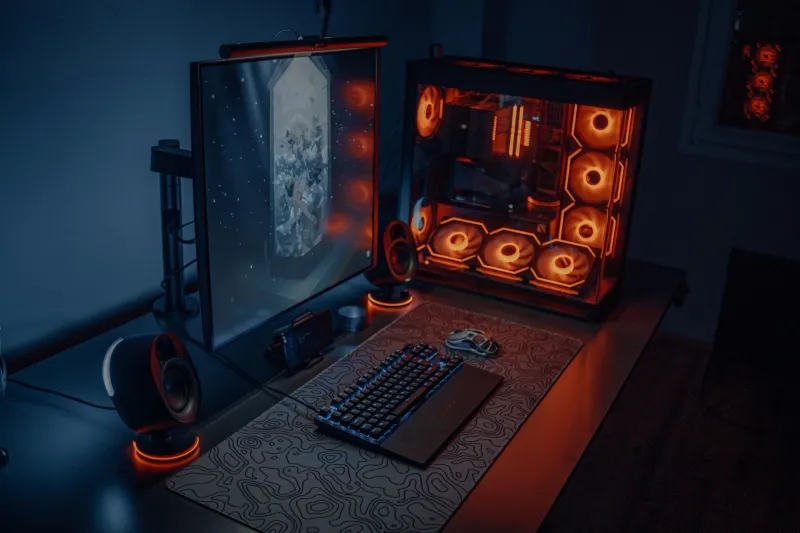
Start with LED strip lights behind your monitor or along the back edge of your desk. Brands like Govee and Daybetter sell solid strips on Amazon for under $20, and they're honestly great for the price. Stick to one or two complementary colors rather than cycling through the entire rainbow every two seconds. Purple and blue? Clean. Red and orange? Intense but fire. Red, green, yellow, and teal all at once? Please, no.
If you want to level up without spending much, grab a few smart bulbs (Wyze bulbs are like $8 each) and place them behind furniture or in corners to create ambient glow. This is called bias lighting, and it makes your whole room look intentional and cinematic rather than "I just plugged some stuff in."
The Background: What Your Viewers Actually See
Your camera is basically framing a portrait every time you stream. So think about your background like a set designer would. What's in the shot? What tells a story about who you are?
Shelf setups are having a serious moment right now. Grab a cheap floating shelf from IKEA (their LACK shelves are like $10 and come in a ton of colors) and start curating objects that reflect your personality. Funko Pops, gaming memorabilia, a plant or two, some LED-lit displays — it all adds texture and personality to your stream without looking like you tried too hard.
The key word there is curated. You don't want a random pile of stuff. Pick a theme — retro gaming nostalgia, sleek and minimal, cozy gamer den — and stick to it. Cohesion is everything.
Also: get that laundry off your chair. Seriously.
Lighting for Your Face (Because You Matter Too)
A lot of beginner streamers go all in on background lighting and then look like they're streaming from a cave. Your face needs light too, and the solution is simpler than you think.
A ring light is the classic move, and you can grab a decent one for $25–$40. Position it at eye level, slightly off to one side for a more natural look. If you want to look extra professional, try a key light and fill light setup — one brighter light on one side, a softer light on the other to reduce harsh shadows. Elgato makes great ones, but honestly, any adjustable LED panel will do the job at a fraction of the cost.
Natural light is also wildly underrated. If you can stream during daytime hours and position your desk facing a window (not with the window behind you, or you'll look like a silhouette), you're already ahead of 80% of streamers out there.
DIY Tricks That Actually Work
Okay, here's where it gets fun. Some of the most aesthetic gaming setups out there were built with pure creativity and zero budget.
Pegboards: A pegboard from Home Depot costs around $15 and can be painted any color. Mount it on your wall and hang controllers, headsets, small shelves, or even LED lights from it. It's functional, it looks great on camera, and it gives your stream a unique visual identity.
Neon signs (fake ones): Real neon signs are expensive. LED neon signs that look almost identical? Like $20–$30 on Amazon. Pick something that fits your brand — your username, a gaming reference, or just a cool word — and suddenly your background has a focal point that viewers will actually comment on.
Acoustic foam panels: These are primarily for sound, but patterned foam panels in geometric shapes also look incredibly cool on camera. They add texture and depth to your background, and they'll help your audio quality at the same time. Win-win.
Fairy lights in a jar: This sounds like a Pinterest craft project, but hear us out. A mason jar filled with fairy lights placed strategically in your background shot adds warm, cozy lighting that makes your stream feel inviting. It costs about $5 and takes three minutes to set up.
The "Don't Try Too Hard" Principle
Here's the golden rule of stream aesthetics: the best setups look effortless even when they're not. If every single inch of your room is covered in LED lights, themed merchandise, and decorative items, it starts to look like a Spirit Halloween right before October 31st.
Pick your statement pieces — maybe two or three things that really pop on camera — and let the rest breathe. Negative space is actually your friend. A clean desk with one sick LED panel behind the monitor and a well-curated shelf in the background will always outperform a cluttered mess of "cool stuff."
Also, don't forget cable management. Nothing ruins an aesthetic setup faster than a spaghetti mess of cables hanging off your desk. Velcro cable ties and cable raceways are cheap and will make your whole space look ten times cleaner.
Putting It All Together
Building a stream-worthy gaming room on a budget isn't about having the most expensive gear. It's about being intentional with what you do have. Start with lighting — it's the single biggest visual upgrade you can make for under $50. Then think about your background layers: what's close to the camera, what's mid-distance, what's in the far background. Add personality with curated objects, and keep things clean and cohesive.
Your audience will notice. And more importantly, you'll actually enjoy sitting down to stream in a space that feels like yours — not just a random room with a PC in it.
Now go rearrange that room. The glow-up is waiting.